LinkedIn was eating my week, so I wrote something to read it for me.
I kept opening it because there might be something worth knowing. Usually there wasn’t, but I couldn’t tell without looking, and looking took an hour I didn’t have. Otto is what I wrote to do the looking.
Why I built it.
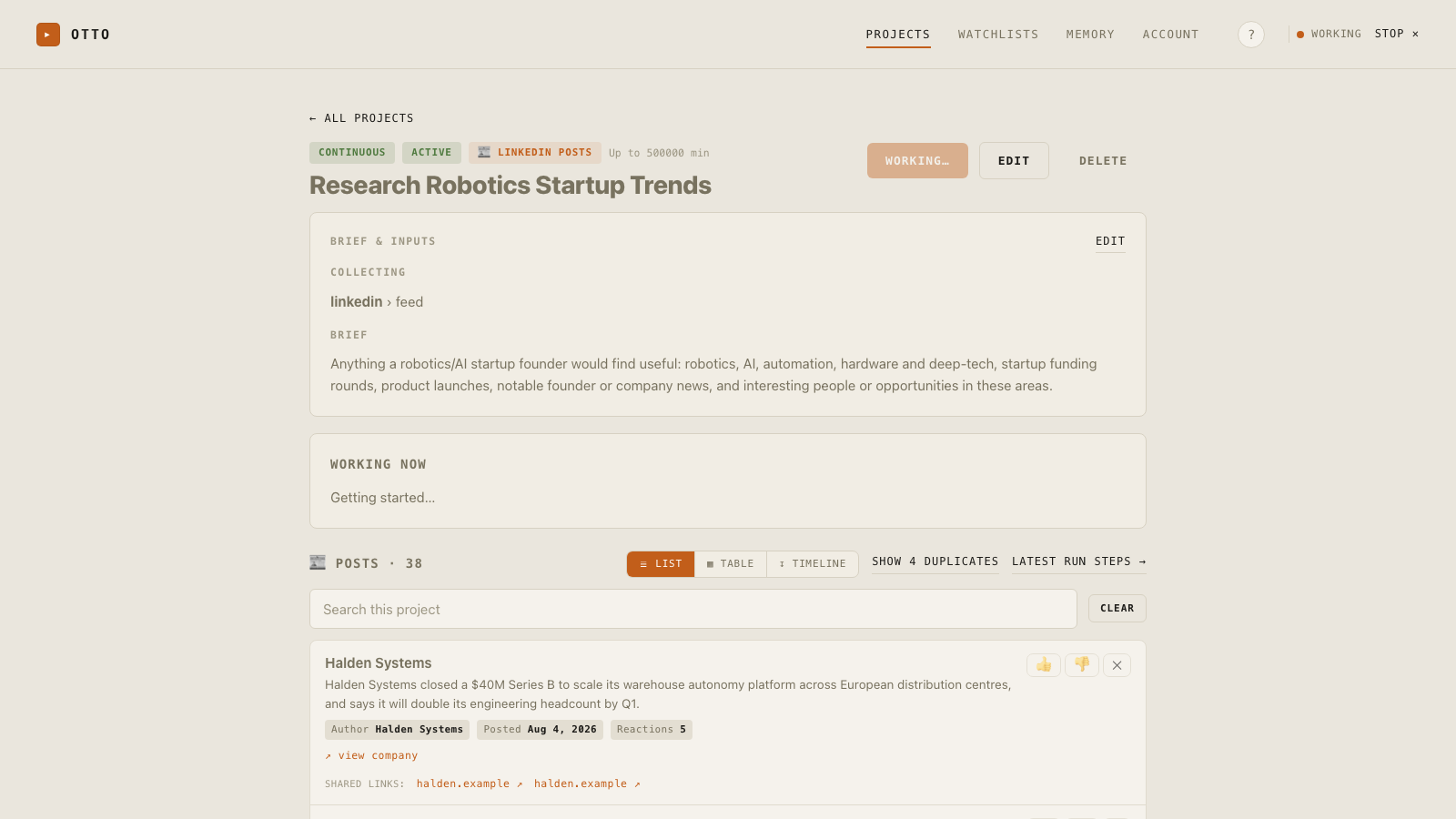
I’m building a robotics company. The useful things on LinkedIn are genuinely useful: someone I want to hire changes job, a company I care about starts hiring, a person I’ve been trying to reach finally posts something I can reply to. None of it arrives on a schedule, and none of it is findable a week later.
So I checked. Every day, sometimes twice. Thirty profiles, a dozen company pages, and a feed built to keep me there. Ten minutes of value sitting inside an hour of scrolling, and the hour came out of the work I was supposed to be doing.
The annoying part is that the checking itself is mechanical. Open a profile, notice whether anything moved since last time, move on. That’s not judgement, that’s just looking. So I wrote something to do the looking and tell me the handful of things that actually changed.
What it does.
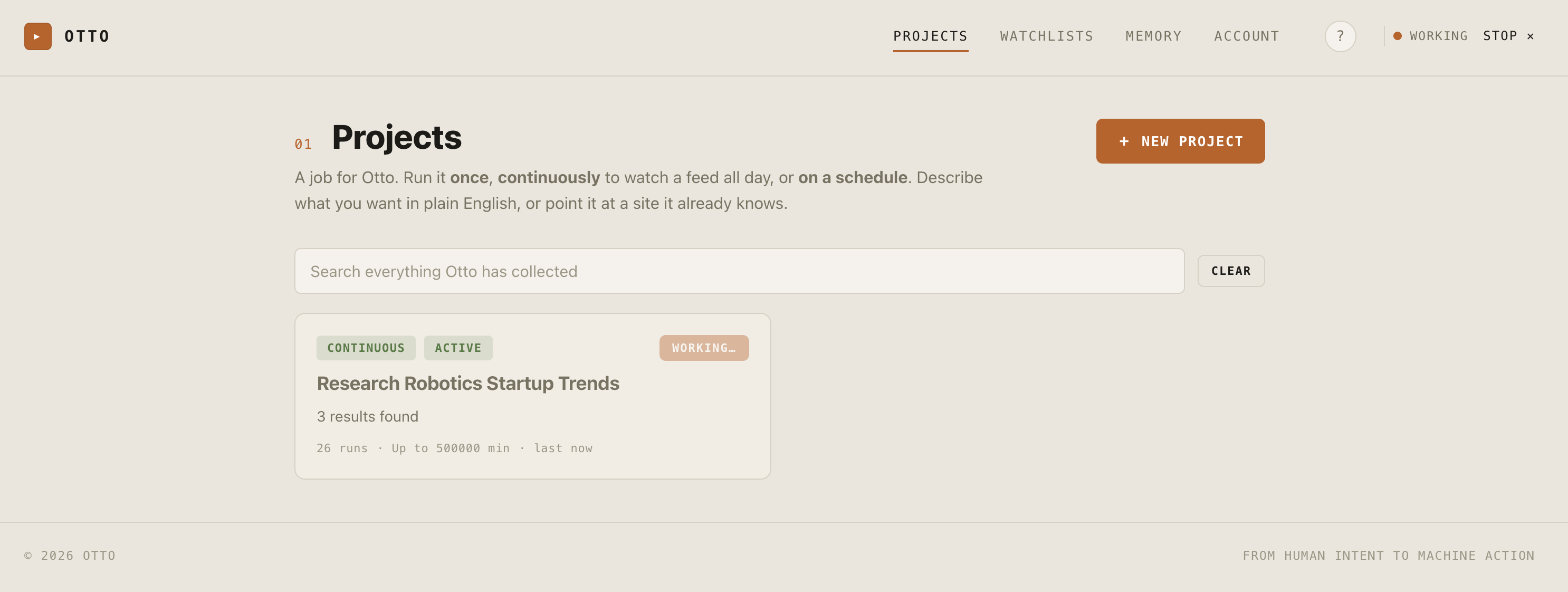
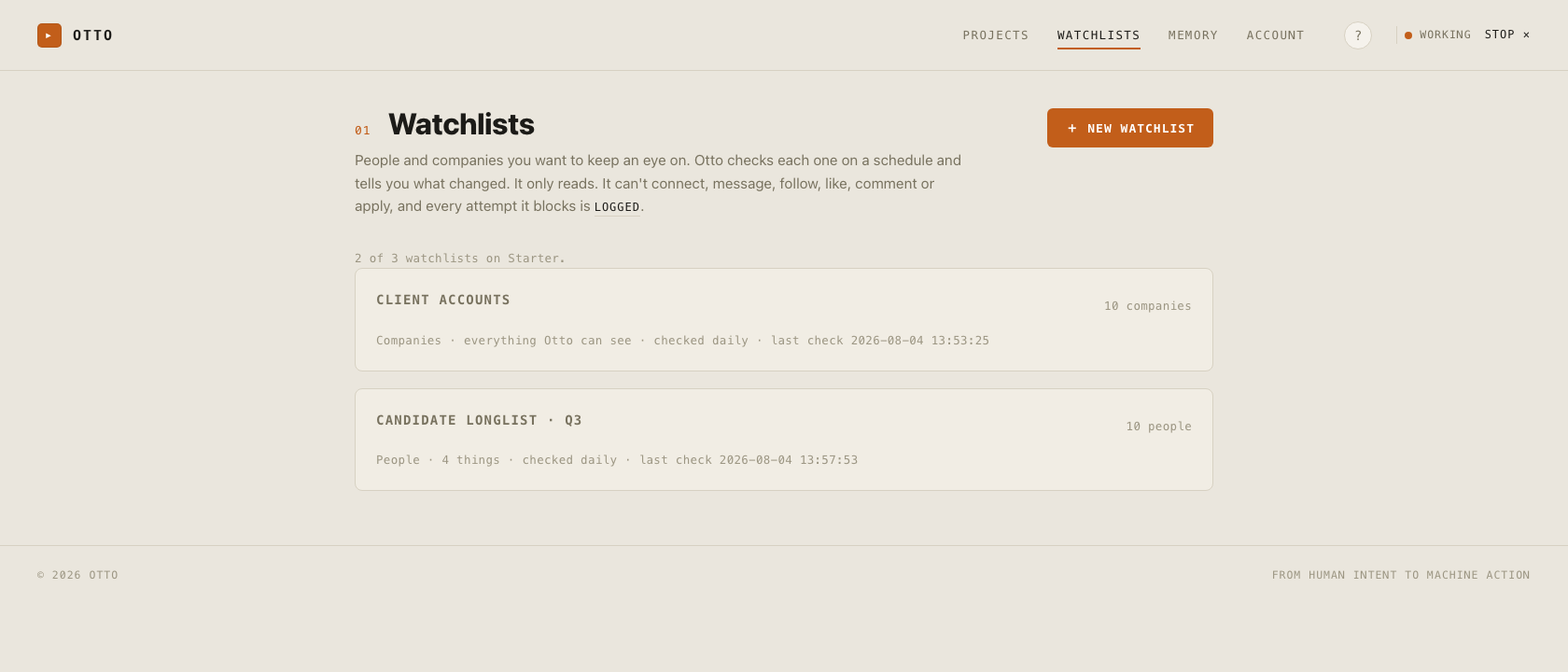
You give it a list of people and companies. Every day it opens your own Chrome, using the session you logged into yourself, reads the pages on that list at roughly the pace you would, and notes what’s different from last time. Job moves, new titles, roles opening up, posts worth seeing. It remembers what it already told you, so you only get the new things.
You can also point it at a one-off question instead of a list, which is how I use it about half the time.
A single job that reports back. “Find everyone who’s held this title at these five firms.”
Keeps working at it until a time or credit limit I set. “Map every competitor’s pricing tier.”
Repeats daily and keeps a running feed. “Check my list every morning.”
What it will never do.
It only reads. It cannot connect, message, follow, like, comment, or apply. That isn’t a setting I left switched off, it’s the part I deliberately didn’t build. The moment a tool starts acting out of your session it’s your account on the line, not mine, and I wasn’t willing to put my own there either.
It also doesn’t run on my servers. It runs on your Mac, in your own browser, on the sites you’re already logged into. I never see your login and I never see what it finds. That’s partly principle and mostly that I don’t want to be responsible for holding any of it.
What it costs.
Honestly, I’d have left this free. Otto can run the models on your own machine and cost nobody anything, which is how I use it. But that needs hardware a lot of people don’t have, and I wanted them to be able to use it too. So it can route to a hosted model instead, and that costs real money every time it runs.
$29 a month covers that, plus the rest of running the thing. One price, because I didn’t want to build a pricing page.
Fourteen days free first, no card. If it isn’t saving you the hour, don’t pay for it.
- Watchlists for the people and companies you care about
- Checked every day, in your own browser
- Run something once, continuously, or on a schedule
- Any site you can log into, not only LinkedIn
- Everything stays on your machine
The questions I’d ask.
Will this get my LinkedIn account restricted?
I am not going to promise you it cannot. LinkedIn does not publish where its lines are, and I would be making it up.
What I can tell you is what actually triggers restrictions, which is automated action: bulk connection requests, mass InMails, auto comments, exports pulled at machine speed. Otto does none of that. It reads at human pace from the session you already have open, and it never sends anything. That is a much smaller surface than an automation tool, but it is not zero, and anyone telling you it is zero is selling you something.
Does Otto violate LinkedIn’s terms?
LinkedIn's user agreement prohibits automated access, broadly enough that a strict reading covers most software that loads pages for you. I am not going to tell you Otto is definitely compliant, because that call belongs to LinkedIn and your own counsel, not to me. What it actually does is use your own logged in browser, on pages you are already allowed to see, at roughly the pace you would see them, and keep what it finds on your machine. If your employer has a policy on third party LinkedIn tools, read it before you start the trial.
What can it see?
Whatever you can see when you are logged in, and only on the pages you point it at. If you can reach a page in your own browser, so can Otto. If you cannot, neither can it.
Where does my data go?
Nowhere. It sits on your Mac, in one file. Otto never stores a site password, only the browser session you logged into yourself. When it needs to work out what it is looking at, it sends the smallest slice of a page it can, and that is the only thing that ever leaves your machine. I never see it.